用 Claude AI 打造三鐵補給規劃工具:從痛點到上線的完整記錄

為什麼要自己做工具? 備戰 2026 台東 CT226 全超鐵(226km)的過程中,補給計畫一直是我最頭痛的環節。 騎車 180km、跑步 42.2km,總時間預計超過 11 小時,補給稍有失誤就可能在賽道上「爆缸」。我查過很多資料,也研究了 Maurten、SiS 等品牌的補給計算器,但問題很明顯:那些工具都是以國外補給品為主,台灣常用的 GA 太空膠、碳水炸彈、UP FAST 根本找不到。 每次備賽前我都要打開 Excel,手動排每小時補給什麼、幾分鐘一次,然後還要確保咖啡因不過量、鈉補給足夠。這個流程很繁瑣,而且每次改一個參數(例如調整平均功率的假設)就要全部重算。 所以我決定自己做一個。 工具介紹:三鐵補給規劃 網址:https://bike-power-calculator.web.app/nutrition.html 這個工具的核心功能是:根據你的體能數據、賽事條件、還有你手邊有哪些補給品,自動排出分鐘級的補給時間表。 輸入什麼 體重、排汗率、環境溫度與濕度 FTP(功能性閾值功率)和預計平均功率 跑步配速 賽事距離(51.5、113、226 等) 進階選填:每小時碳水目標(g/hr)、鈉目標(mg/hr) 輸出什麼 一張詳細的補給時間表,包含: 每個補給點的時間(分鐘) 補給項目名稱 累積碳水攝取 累積鈉攝取 累積咖啡因 備注(是否開放咖啡因窗口、電解質補充等) 計算邏輯 碳水需求 根據運動強度(以 FTP 百分比計算),工具會估算每小時碳水消耗量: 騎車:依據平均功率與體重換算消耗 跑步:依據配速估算強度 如果你已知每小時要攝取多少碳水(例如你相信自己能消化 90g/hr),可以直接在進階設定裡覆蓋自動計算值。 補給間隔計算 補給間隔用這個公式計算: interval = 60 / (carbPerHr / leadProduct.carbs) 然後 snap 到最接近的合理值(5、10、15、20、25、30、40、45 分鐘),避免出現「18.7 分鐘補一次」這種不實際的排程。 果膠輪替 一開始我設計的版本永遠都補同一個果膠,後來發現這樣比賽中會吃到膩。改進後加入輪替機制:每次補給後 rotationOffset + 1,讓你選的所有果膠輪流出現,避免一種吃到厭。 咖啡因窗口 咖啡因不是從一開始就可以用,研究指出太早使用效果會打折扣: 騎車段:完成 60% 後才開放 跑步段:完成 30% 後才開放 開放後才會在排程中安排咖啡因補給品(UP 綠茶咖啡因膠囊、可樂)。 ...
April 17, 2026 · 2 分鐘 · 

🧋 不會寫程式? 用 Claude AI + GitHub + Firebase 打造即時茶飲點餐系統

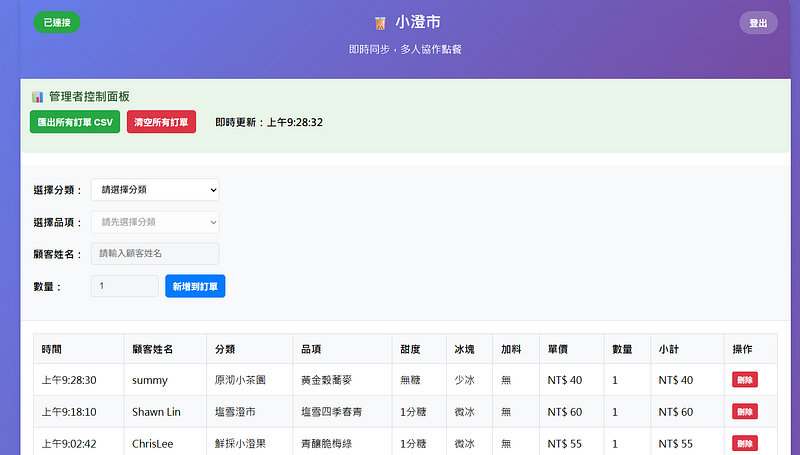
如何透過 AI 協助快速建立一個支援多人協作、即時同步的點餐網站 專案背景:解決真實痛點 相信大家都有過這樣的經驗:公司要訂飲料,負責人在群組裡貼了菜單,然後大家開始接龍,結果… 接龍接到被別人刪到訂單 忘記打甜度冰塊 知道想喝甚麼,但還要去看菜單多少錢 要接龍的時候,被別人搶先 不知道總共有幾杯,還要慢慢算 即使大家都乖乖地照格式打,還是必須手動整理、算錢,這樣的混亂又麻煩的場面是否很熟悉?身為一個工程師,我決定用技術來解決這個日常問題,減少沒有飲料喝的日子。 我不會寫網頁所以我用Claude來開發。總共花了3個小時就從構思到部屬完成。 AI 輔助開發:從想法到實現 第一次對話:需求分析與架構建議 我的需求: 我想要一個網頁,大家可以點飲料,有很多選項像甜度冰塊那些,然後大家都能看到其他人點了什麼,最後可以統計總金額” Claude 的技術建議: Claude 主動分析需求並建議了最適合的技術架構: GitHub Pages(免費網站託管) Firebase Firestore(即時資料庫) 純前端架構(簡化部署) 第二次對話:成本考量與安全防護 我的關切: 這樣會不會需要付費?有什麼成本風險? Claude 的解決方案: 詳細的免費額度分析:計算實際使用量 vs 免費限制 成本控制建議:密碼保護限制使用者、用量監控設定 多層防護方案:Firebase 安全規則 + 前端限制 第三次對話:功能優化 持續迭代需求: 可以加上甜度、冰塊選項嗎?還有加料的價格計算? Claude 立即: 擴展菜單資料結構 實作動態價格計算 優化使用者體驗流程 AI 協作的關鍵優勢:上下文理解 整個開發過程中,Claude 始終記得: 專案的技術選型原因 之前討論的成本考量 每次功能迭代的背景 用戶體驗的優先級考量 工程師視角的 AI 協作指南 💡 高效的 AI 協作技巧 ✅ 清晰的需求描述: ❌ 「幫我做個網站」 ✅ 「我想做一個點飲料的網頁,需要有菜單選擇、客製化選項、多人即時協作功能」 ❌ 「加個功能」 ✅ 「我希望加入密碼保護,只有知道密碼的人才能使用系統」 ...

June 10, 2025 · 4 分鐘 · 

工程師必備:從JSON到PDF的技術文件自動化工作流程

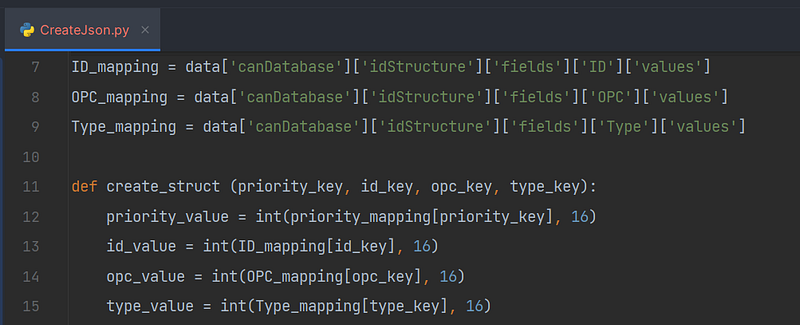
在現代軟體開發環境中,技術文件的管理和維護常常被視為一項繁瑣的任務。作為一名開發者,我曾經為撰寫和更新各種專業規格文件(如Error Code Table、SOP、Protocol等)而煩惱。這些文件有著共同的特點:高度重複性和頻繁的版本變化。 在本文中,我將分享一套完整的文件自動化解決方案:利用JSON作為資料來源,通過Python處理資料,使用LaTeX生成格式精美的PDF文件,並通過Git實現版本控制和自動發布。 為什麼選擇JSON + LaTeX + Git的組合? 在探索各種技術文件解決方案後,我發現這個組合具有以下優勢: JSON:結構化數據存儲,易於程式讀取和修改 LaTeX:專業排版系統,產出高質量PDF文件 Git:完善的版本控制,支持協作和發布流程 雖然HTML也是一個選項,但對於正式文件來說,PDF格式往往更受青睞,它具有固定的排版和更專業的外觀。 工作流程概述 整個自動化工作流程可以概括為以下幾個步驟: 建立JSON文件作為數據源 使用Python處理JSON數據 將處理後的數據轉換為LaTeX格式 使用MiKTeX編譯LaTeX文件生成PDF 利用Git進行版本控制和發布 讓我們深入了解每個步驟的具體實現。 步驟一:建立JSON文件 首先,我們需要設計一個適合我們文件需求的JSON結構。以錯誤代碼表(Error Code Table)為例: { "document_info": { "title": "系統錯誤代碼表", "version": "1.2.0", "last_updated": "2025-04-07", "author": "工程團隊" }, "error_codes": [ { "code": "E001", "severity": "ERROR", "message": "連接數據庫失敗", "description": "無法建立與數據庫的連接", "solution": "檢查數據庫連接字符串和網絡狀態" }, { "code": "E002", "severity": "WARNING", "message": "配置文件不完整", "description": "系統配置文件缺少必要參數", "solution": "參考文檔補全配置文件中的必要參數" } // 更多錯誤代碼... ] } 這種結構化的格式使得更新和維護變得非常簡單。需要添加新的錯誤代碼?只需在陣列中添加一個新對象即可。 步驟二:使用Python處理JSON 接下來,我們編寫Python腳本來處理JSON數據。這一步的目的是: 讀取JSON文件 驗證數據完整性 進行必要的數據轉換 為LaTeX生成做準備 以下是處理JSON的示例Python代碼: import json import datetime import os def process_error_code_table(json_file_path): # 讀取JSON文件 with open(json_file_path, 'r', encoding='utf-8') as f: data = json.load(f) # 驗證數據完整性 required_fields = ['document_info', 'error_codes'] for field in required_fields: if field not in data: raise ValueError(f"JSON缺少必要欄位: {field}") # 數據處理和轉換 # 例如:按照錯誤代碼排序 data['error_codes'] = sorted(data['error_codes'], key=lambda x: x['code']) # 更新版本信息 if 'auto_update_date' in data['document_info'] and data['document_info']['auto_update_date']: data['document_info']['last_updated'] = datetime.datetime.now().strftime('%Y-%m-%d') return data # 使用函數 error_data = process_error_code_table('error_codes.json') 步驟三:將JSON轉換為LaTeX 現在是時候將處理好的JSON數據轉換為LaTeX格式了。我們可以使用Python的字符串模板或專門的模板引擎來實現: ...

April 7, 2025 · 3 分鐘 · 

C 語言標準函式庫完整指南

一開始在學C 語言的時候,常遇到有些功能可以使用,有些不行,後來才知道,標準函式庫的存在。標準函式庫是每個 C 程式設計師必須掌握的基礎工具。本文將詳細介紹各個重要的標準函式庫、引入方式及其常用函數。 Include 指令說明 在 C 語言中,我們使用 #include 預處理指令來引入標準函式庫。有兩種主要的引入方式: 1. 使用尖括號 < > #include <stdio.h> #include <stdlib.h> 這種方式用於引入標準函式庫 編譯器會在系統的標準函式庫目錄中查找頭文件 建議用於引入所有標準函式庫 2. 使用雙引號 “ “ #include "myheader.h" 這種方式主要用於引入自定義的頭文件 編譯器會先在當前目錄查找,如果找不到才會到系統目錄查找 適用於引入專案中自己創建的頭文件 常見引入示例 // 基本程序常用引入 #include <stdio.h> // 輸入輸出相關 #include <stdlib.h> // 工具函數相關 // 字符串處理相關 #include <string.h> // 字符串函數 #include <ctype.h> // 字符類型判斷 // 數學計算相關 #include <math.h> // 數學函數 #include <float.h> // 浮點數限制 #include <limits.h> // 整數限制 // 時間相關 #include <time.h> // 時間函數 // 錯誤處理相關 #include <errno.h> // 錯誤碼 #include <assert.h> // 斷言 // 國際化支持 #include <locale.h> // 本地化設置 #include <wchar.h> // 寬字符支持 最佳實踐 1. 避免重複引入 #ifndef MYHEADER_H #define MYHEADER_H // 頭文件內容 #endif 2. 引入順序建議 — 標準 C 函式庫 — 系統相關標準庫 — 第三方函式庫 — 專案自定義頭文件 ...

February 13, 2025 · 3 分鐘 · 

Building a Personal Asset Tracking Dashboard with GitHub + Streamlit

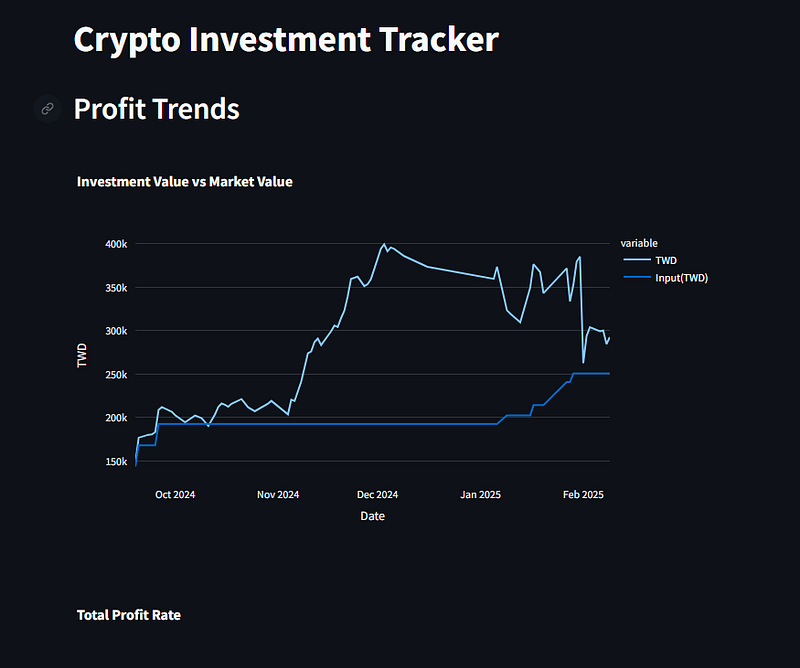
In this digital era, monitoring personal assets is crucial for financial management. Today, I’ll share how to create a practical asset tracking web application by combining GitHub and Streamlit. Why GitHub + Streamlit? GitHub provides: Free and reliable data storage Version control Collaborative environment Streamlit offers: Simple Python web development framework Rich data visualization tools Free cloud hosting Project Architecture The project consists of three main components: GitHub repository storing asset data in JSON format Python scripts for data processing Streamlit web interface for data visualization Implementation Steps 1. GitHub Setup First, we need to: ...

February 9, 2025 · 2 分鐘 · 

Understanding Memory Management in C: malloc, calloc, and Common Mistakes

Memory management in C can be tricky, especially for beginners. In this article, we’ll explore the differences between malloc and calloc, and look at some common mistakes developers make when using these functions. The Basics: malloc vs calloc Let’s start with the basic differences between these two memory allocation functions: malloc (Memory Allocation) Allocates memory but doesn’t initialize it Takes one parameter: the total number of bytes needed Faster execution as it doesn’t initialize memory Memory contains garbage values after allocation int *arr = malloc(100 * sizeof(int)); // Allocates memory for 100 integers calloc (Contiguous Allocation) Allocates memory and initializes all bytes to zero Takes two parameters: number of elements and size of each element Slower than malloc because it initializes memory Memory is guaranteed to be zero after allocation int *arr = calloc(100, sizeof(int)); // Allocates and zeros memory for 100 integers Why Use malloc + memset in Firmware Development? In firmware development, developers often prefer using malloc followed by memset instead of calloc. Here’s why: ...

January 28, 2025 · 3 分鐘 · 

Python Development Environment Setup: A Comprehensive Guide to pyenv and Poetry

Setting up a Python development environment can be challenging, especially when managing multiple projects with different Python versions and dependencies. This comprehensive guide will walk you through using pyenv and Poetry to create a robust, maintainable Python development environment. The Dynamic Duo: pyenv and Poetry Before diving into the setup process, let’s understand why we need these tools and how they work together: pyenv manages your Python interpreters: Installs and manages multiple Python versions on your system Allows you to specify different Python versions for different projects Handles seamless switching between Python versions Poetry handles your project dependencies: ...

January 16, 2025 · 4 分鐘 · 

My First Day Learning C: Understanding Characters and ASCII

As a beginner tackling HackerRank’s C programming challenges, my first day was both challenging and enlightening. After completing three exercises, I discovered some fascinating aspects of C programming, particularly regarding character and string handling. The Surprising Difference Between ‘A’ and “A” One of the most interesting discoveries was understanding the fundamental difference between single quotes (‘A’) and double quotes (“A”) in C. This distinction is crucial for any C programmer to understand: ...

January 9, 2025 · 2 分鐘 ·